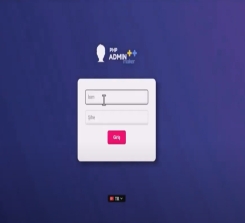
Elmas E-Commerce V1 Installation Guide
1. Upload Files
• Upload the purchased software files to your hosting/server.
• Extract the ZIP file into your root directory (public_html / www).
2. Create Database
• Create a new MySQL database via your hosting panel (cPanel / Plesk).
• Assign a user and grant full privileges.
3. Installation Wizard
• Visit your website in a browser.
• Enter your database credentials.
• Create your admin account.
4. Admin Panel Access
• After installation:
• Access your admin panel via: yourdomain.com/admin
5. Basic Configuration
• Set your site name, logo and theme colors.
• Configure payment methods.
• Set shipping and order settings.
6. Security & Optimization
• Enable SSL (HTTPS).
• File permissions are automatically configured.
7. Ready to Use
• You can now start adding products and selling ????
Note:
Installation support can be provided upon request.
Version History
v1.0 - Initial Release
• Core system architecture released
• Multi-language support (TR, EN, AR, RU, DE, FR)
• Central Bank currency integration
• SEO-friendly URL structure
• Premium Influencer & Affiliate system
• Referral links and coupon system
• Commission tracking and payout system
• Advanced admin panel
• Product, variant and pricing management
• Order and shipping management
• PayTR payment integration
• Bank transfer / Cash on delivery options
• Anti-XSS and SQL Injection protection
• Security log system
• SSL enforcement
• AJAX cart and fast checkout
• Blog and content management
• Fully responsive design
Upcoming Updates
• New payment integrations
• Advanced analytics and reporting
• Mobile app integration
• New themes and design options









 Copyright © 2024 Ratu Cloud LLC - All Rights Reserved.


 Turkey (Türkçe)
  United Kingdom (English)
  Germany (German)
  Netherlands (Dutch)